Webready Help Center Webready Help Center
  • Getting Started
    • How to create a Webready website
    • Understanding Webready Pricing
    • Webready Setup Checklist
    • Webready FAQ
  • Domains
    • Keeping the Free Webready URL
    • Assigning a Domain to your Webready website
    • About Domains
    • Configuring DNS to Point your Domain to Webready
    • Removing a Domain from Your Webready Account
    • Unassigning a Domain from Your Site
    • Securing your domain with an SSL certificate
    • Connecting Your Own Domain Name
    • Adding a Webready Domain
  • Accepting Payments
    • Payment Gateway
    • Payment Rules
    • Accepting Payment On Your Website
  • Managing your Website
    • How do I prevent spam from my website forms?
    • How do I keep track of my bandwidth?
    • How is my bandwidth calculated?
    • About your Website's Storage and Bandwidth
    • How to help my website get listed on Google
    • Exceeding Your Site's Bandwidth Limit
    • Why doesn't my bandwidth match Google Analytics?
  • Webready Editor
    • Booking Settings
      • Booking Form Presets
      • Booking Form Settings - Upsells Tab
      • Booking Form Settings - Discount Codes Tab
      • Booking Form Settings Overview
      • Booking Form Settings - Sidebar Tab
      • Booking Form Settings - Layout Tab
      • Booking Form Settings - Style Tab
    • Editor V2
      • Featured rentals and Custom rentals list feature (Editor V2)
      • How do I add or adjust my image logo?
      • Allow Gap Night Setting
      • How do I redirect my pages? (Editor V2)
      • How to use the Website Editor V2
      • Adding Custom Code to your Website
      • Global Settings Overview
      • Contact Form Settings
      • How do I set up a Cookie Policy on my website?
      • How do I add a telephone number to my forms and booking page? (Editor V2)
      • How Do I Access the Webready Editor V2?
      • How to create a text logo for my website?
      • How Do I Add Password Protection to my Website or Webpage?
      • Creating a Custom Page
    • Featured rentals and Custom rentals list feature
    • How do I add a telephone number to my forms and booking page?
    • How do I redirect my pages?
    • How Do I Block Dates from Check-in or Check-out?
    • How to use the Website Editor
  • Reports
    • Margins Custom Report Views
    • Reports Overview
  • eDocuments
    • Automations
      • eDocuments Automations
    • Inbox
      • eDocuments Inbox
      • eDocuments Photo Identification
    • Templates
      • eDocuments Documents
      • Cancel A Pending Signature Template
      • eDocuments Contracts
      • eDocuments Custom Codes
      • eDocuments Templates
      • Share an eDocuments Template
      • Send an eDocuments Template
      • Create A New eDocuments Custom Code
      • eDocuments Forms
      • eDocuments Data Dictionary
      • Create A New eDocument Tag
    • eDocuments Overview
    • eDocuments FAQ
  • Settings & Configurations
    • User Settings & Logins
      • How Do I Add Users?
    • Using Webready in Multiple languages
    • How Do I Add a Chat Box to my Website?
  • Rates
    • What is a Base rate?
    • How do I add a Discount Code?
    • What is a Dynamic Rate?
    • LOS (Length of Stay) Discounts
    • Rate Types in Webready
    • What is a Standard Rate?
  • Integrations
    • Webready Integration with Beds24
    • Webready integration with Pricelabs
    • Webready Integration with Hostaway
    • Webready integration with RentalWise
    • Webready Integration with Hospitable
    • Webready integration with Google's Vacation Rental platform
    • Google Vacation Rentals FAQs
    • Webready Integration with Booking Automation
    • Webready integration with OwnerRez
    • Webready integration with FantasticStay
    • Webready integration with Zeevou
    • Webready integration with Lodgify
    • Webready Integration with Wheelhouse
    • Webready Integration with Uplisting
    • Webready integration with Channex
  • Airbnb
    • Connecting to Airbnb
    • How do I refresh my Airbnb property list?
    • How to Rank Higher on AirBnB
    • Airbnb Connector FAQ
    • Co-hosting with Airbnb
    • Requirements for an Airbnb Rental
    • Airbnb Connector Overview
  • Automation
    • Webready Automations Overview
    • Data Dictionary
    • Automation Templates
    • HTTP Webhook Triggers
  • Rentals
    • Linking Rentals Together
    • How do I delete rentals?
    • Auto sync rental changes
    • Syncing your rentals manually
    • How do I add booking fees to my rental?
    • Manually adding your Rentals
    • Uploading Rentals from a CSV
    • How do I create Rentals?
  • Upsells
    • How Do I Display Upsells on my Website?
    • Upsells Overview
    • How Do I Create a Sale?
    • Upsells Reports
    • How to create an invoice for my upsells?
    • How Do I Create an Upsell?
  • Images
    • How do I add Images?
  • Webready Translator
    • Webready Translator: Translations
    • Webready Translator Overview
    • Webready Translator: Formats
    • Webready Translator: Languages
  • Invoices & Billing
    • Invoice Management
      • How to create Invoice templates?
      • Invoicing & Payments
      • How Do I Make Changes to an Invoice?
      • Scheduling Invoices
      • How to set up Invoice Rules?
      • Creating Credit Notes
      • How Do I Request a Partial Payment or Deposit Payment?
      • How Do I Charge a Guest for Multiple Items on an Invoice?
    • Payment Gateways
      • How Do I Accept Payments Online and Via Credit Card?
  • Managing your Account
    • How Do I Add or Remove My Credit Card?
    • Account Info Overview
  • App Store
    • App Store Billing & Subscriptions
    • App Store Overview
    • App Store FAQs
  • Messages
    • Messages: Spam
    • Messages Overview
    • Messages: Email Notifications
    • Messages: Inbox
    • Messages: Spam Filters
    • Messages: Templates
  • Webready Bookings
    • Webready Calendars Walkthrough
    • Creating Hold Events in Webready
    • Creating a Manual Booking
    • How Do I Delete an Inquiry?
    • How Do I Edit Bookings?
    • Creating a Website Booking Link
    • Importing an External Calendar
    • How do I view my messages?
    • Webready Booking List
    • Making Reservations for Individual Bedrooms
Settings & Configurations / User Settings & Logins / How Do I Add Users? /
Website Login

How Do I Add Users?

Within your Webready account, you might wish to add users so that they can have access to your account and handle individual tasks. Additional Webready users can be specified as having certain duties and responsibilities, or areas of expertise. You can use this feature to give your entire team, from property managers to accountants, access to your Webready account for editing, viewing or sending messages to guests and potential guests. Webready makes adding users and updating their information along the way simple and easy.

Adding A New User:

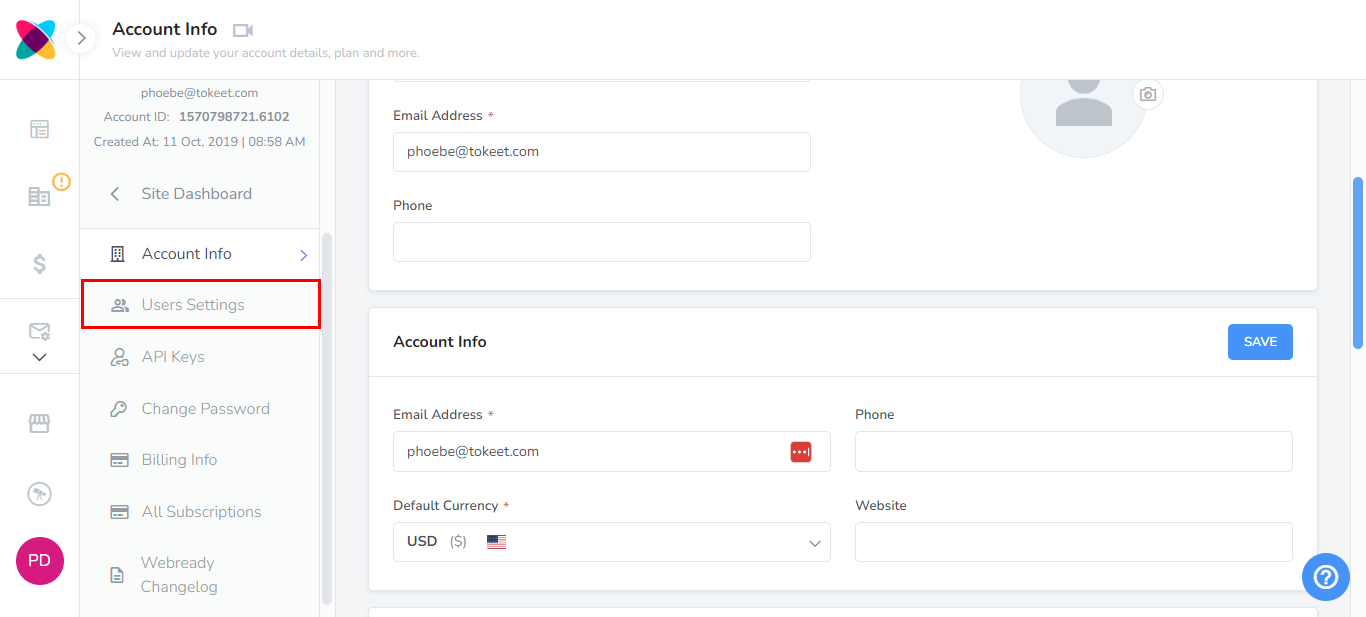
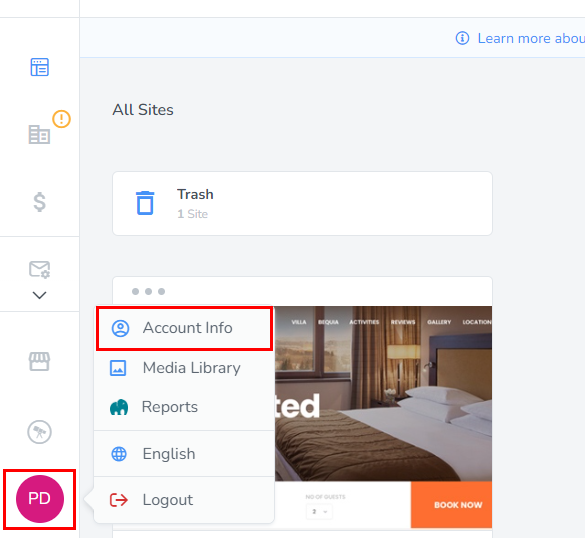
  1. Click on your profile image then select "Account Info".
  2. Click on the "User Settings" tab.

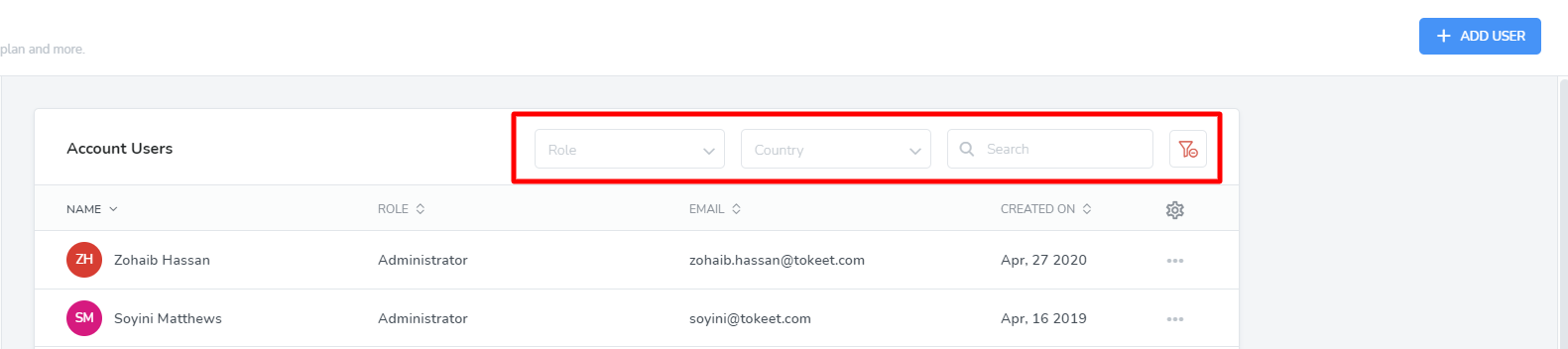
  3. The Account Users list will allow you to search and filter your list of users and edit their individual profiles.
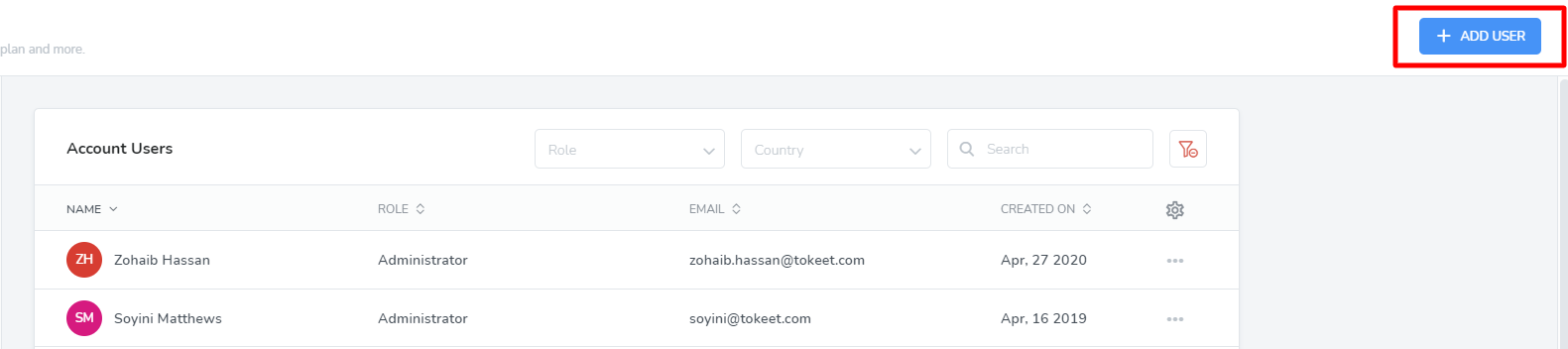
  4. To add a new user click on the Add User button to the top right of your user list.
  5. Enter all required info into the add user overlay.
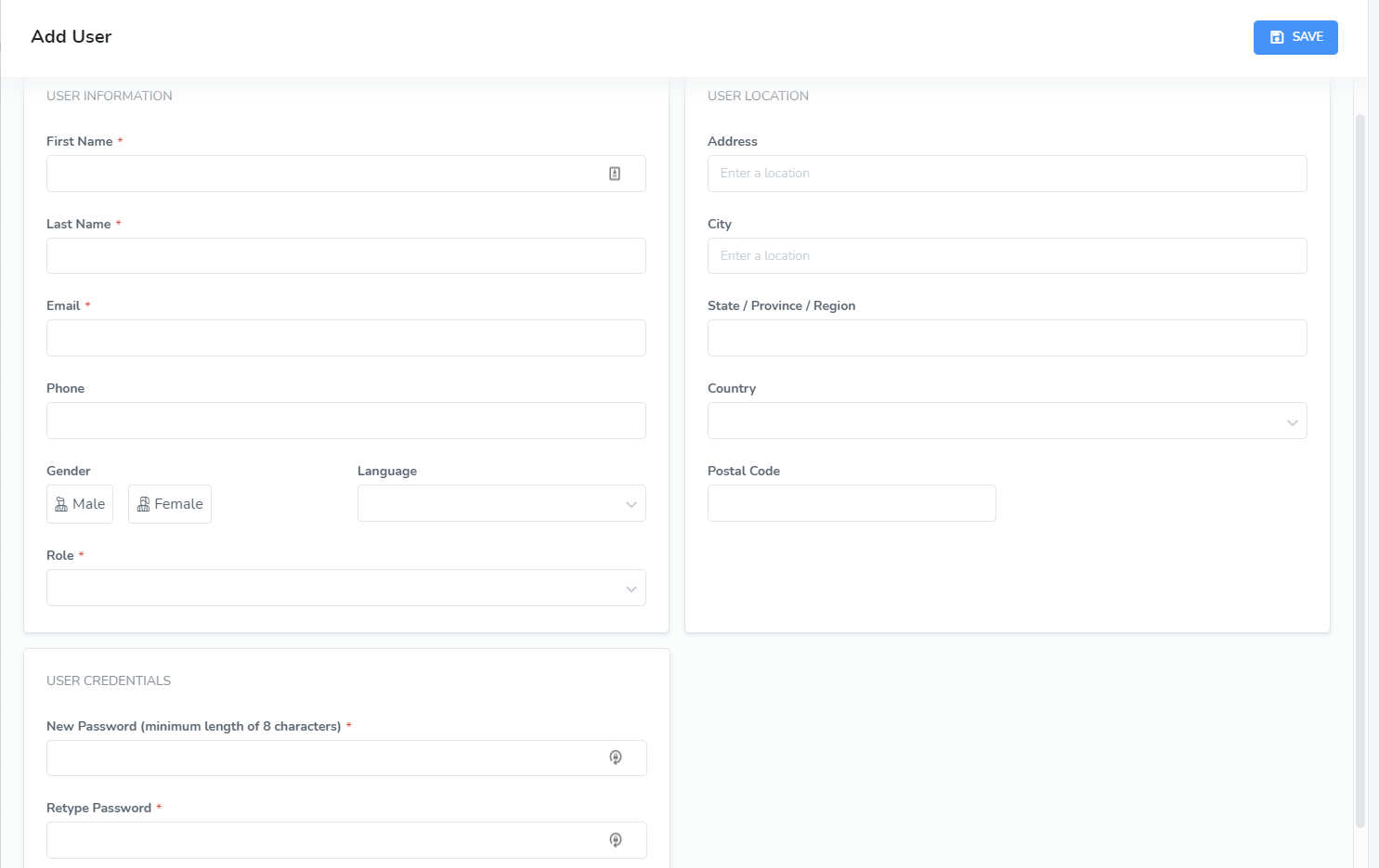
    Note: Choosing the appropriate role for your user is a very important step in this process. For more information on user roles and what access is allowed for each, please see below.

  6. Click “Save”. This new user will now appear in your user list.

Note: After a user is added, an email will be sent to the email address saved, with a link to click so the address can be verified.

User Roles:

Administrators

Administrator users get full access to all menus and modules available for the account subscription level. The Administrator has complete control and visibility over the entire Webready interface.

Property Managers

Property Manager users get full access to all menus and modules available for the account subscription level except for the Billing Info page and App Store.

Accountant

Accountant users have access to the Reports module (Margins), the Billing Info page, Channel Manager section and the Invoicing section. Reports can be viewed and downloaded in a spreadsheet compatible form from Margins.

Now you and your entire team can begin using Webready to its full capabilities.

How did we do? Thank you! We appreciate your feedback.
Website Login
Copyright © 2025 Webready. All Rights Reserved.
No documents match your search.
Searching...